
Now available for teams
Stop letting LinkedIn
run on
autopilot
BossFeed is the daily engagement workflow for founders, consultants, and sales professionals who've decided LinkedIn is worth doing right. Curated feed. Like/comment/skip triage. AI-powered post insights. All your LinkedIn profiles in one place.
- 7-day free trial
- ·
- No credit card
- ·
- Cancel anytime
The Problem
LinkedIn works.
The experience doesn't.
You've seen it work. A client says "I've been following your LinkedIn for months." A prospect responds to your message because they recognize your name. An inbound lead lands in your inbox after a post. You know this platform is real.
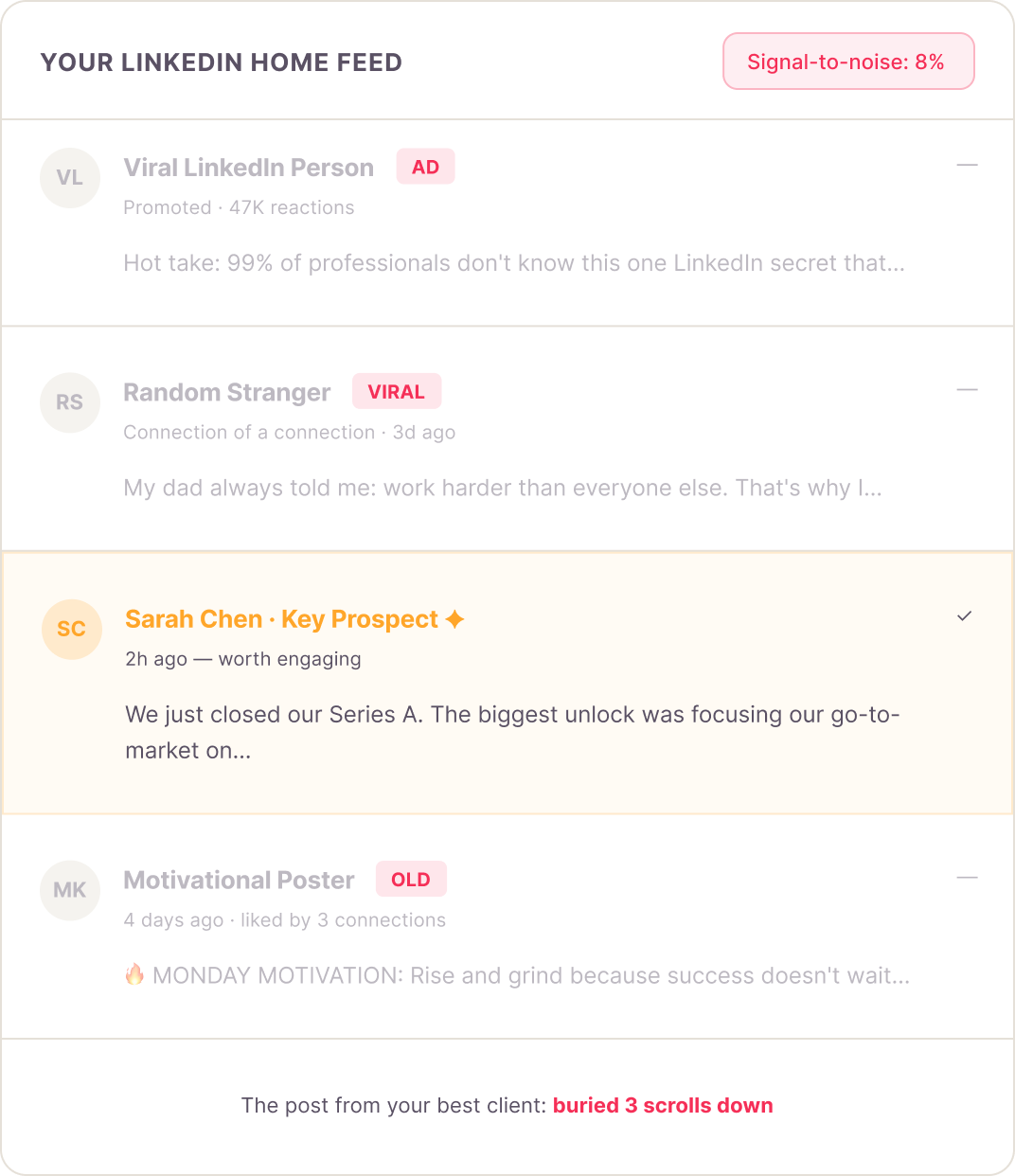
So you open LinkedIn with good intentions. Forty-five minutes later, you've scrolled past sponsored content, viral posts from strangers, and a notification that someone you don't know liked a comment you posted two years ago. You've commented twice — on posts that didn't matter — while the 30 clients, prospects, and key connections you actually needed to engage with never crossed your screen.
"That's not a habit failure. That's a tool problem. LinkedIn's algorithm is optimized for engagement with the platform, not engagement with your pipeline."
How BossFeed works
Build your list. Work your queue.
Ship authoritative comments.
Three steps. One 15-minute morning routine. The engagement consistency
that turns LinkedIn from a distraction into a channel.
Step 01
Curate your feed
Add up to 200 LinkedIn profiles you actually want to follow — clients, prospects, partners, thought leaders. BossFeed pulls their posts into a private, ad-free, algorithm-free feed. Nothing else.
Step 02
Triage your queue
Work through a daily engagement queue: like posts you want to surface, skip anything that doesn't warrant your time, or flag for a thoughtful comment. A 30-post queue takes under 10 minutes.
Step 03
Engage with authority
Before you comment, BossFeed surfaces AI-powered insights about the post and author — context, angles, conversation threads. You write something worth reading. Not a generic reply. An authoritative voice.
1
Custom Feed Builder
Your LinkedIn,
without the noise.
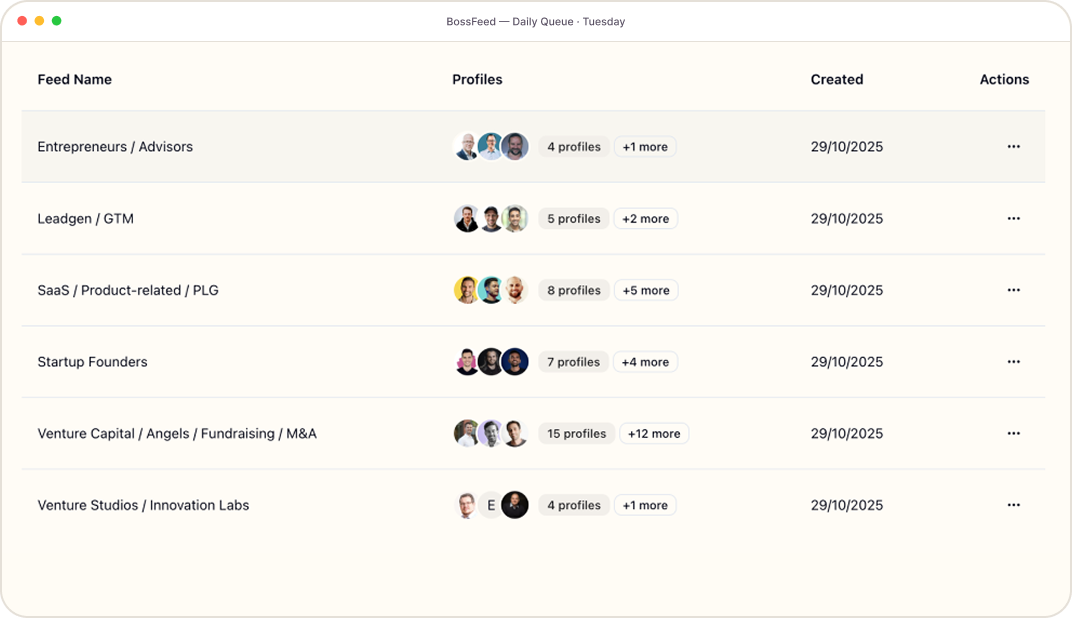
LinkedIn's algorithm decides what you see. BossFeed gives that decision back to you. Add the people that matter to your business — by name, by role, by relationship — and BossFeed builds a private feed that only shows their posts. Chronological. Clean. Nothing you didn't choose.
'/%3e%3cpath%20d='M4%208L6.5%2010.5L12%205'%20stroke='%23767676'%20stroke-width='1.5'%20stroke-linecap='round'%20stroke-linejoin='round'/%3e%3c/svg%3e) Add profiles by LinkedIn URL, name, or bulk import
Add profiles by LinkedIn URL, name, or bulk import- Organize into groups: Prospects, Clients, Partners, Watch List
- Never miss a post from your top 50 again
- No ads. No viral strangers. No algorithmic detours.
- Posts surface in real time — no staleness lag
2
Daily Triage Workflow
Like. Comment. Skip.
Done in 15 minutes.
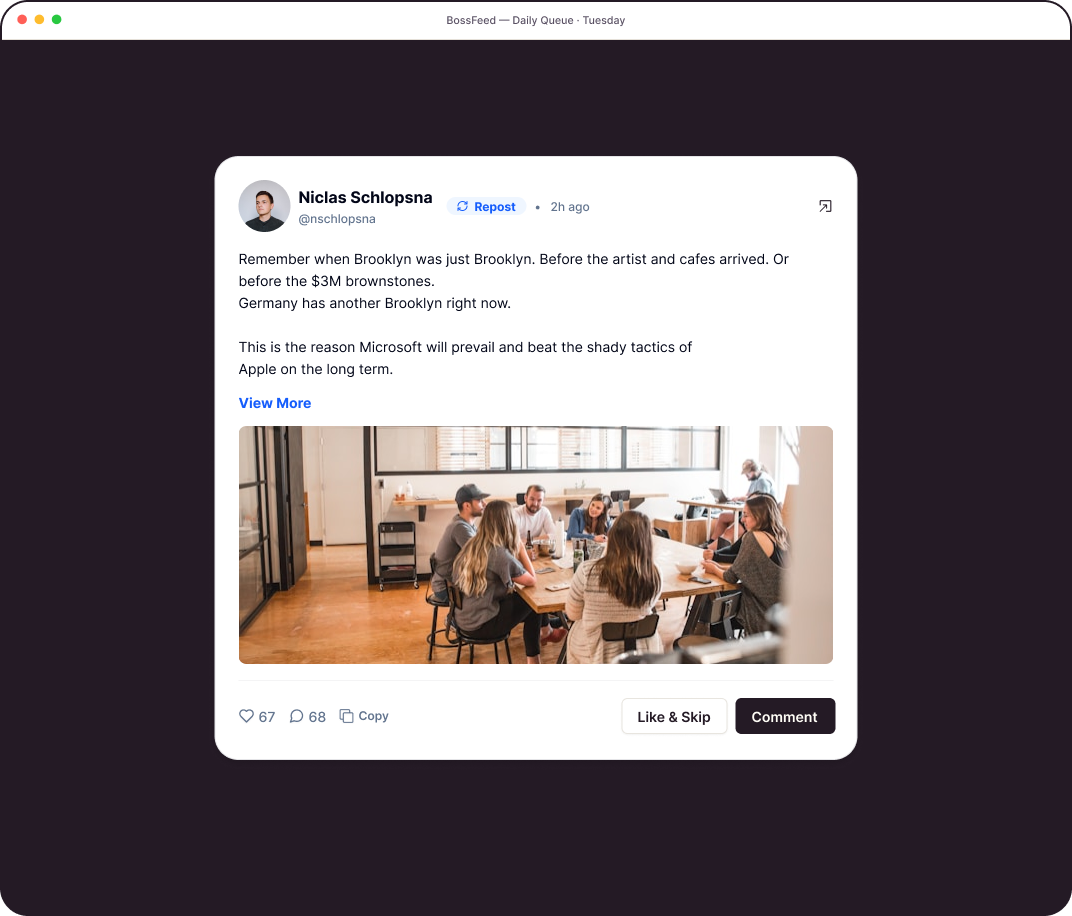
Stop making slow decisions on every post. BossFeed turns your curated feed into a focused daily queue. Work through it like email: give a quick like to surface a post you appreciate, skip anything that doesn't warrant your time, or pause on the ones that deserve a real response. Built for the professional who engages with purpose — not the one who scrolls for distraction.
- Focused queue view — one post at a time, no distractions
- Like without commenting — great for staying visible, fast
- Skip with zero guilt — your queue, your decisions
- Daily completion counter — the done-signal your brain needs
- "Catch-up" mode for Monday mornings after the weekend
3
AI-Powered Post Insights
Helpful insights.
Your authentic voice.
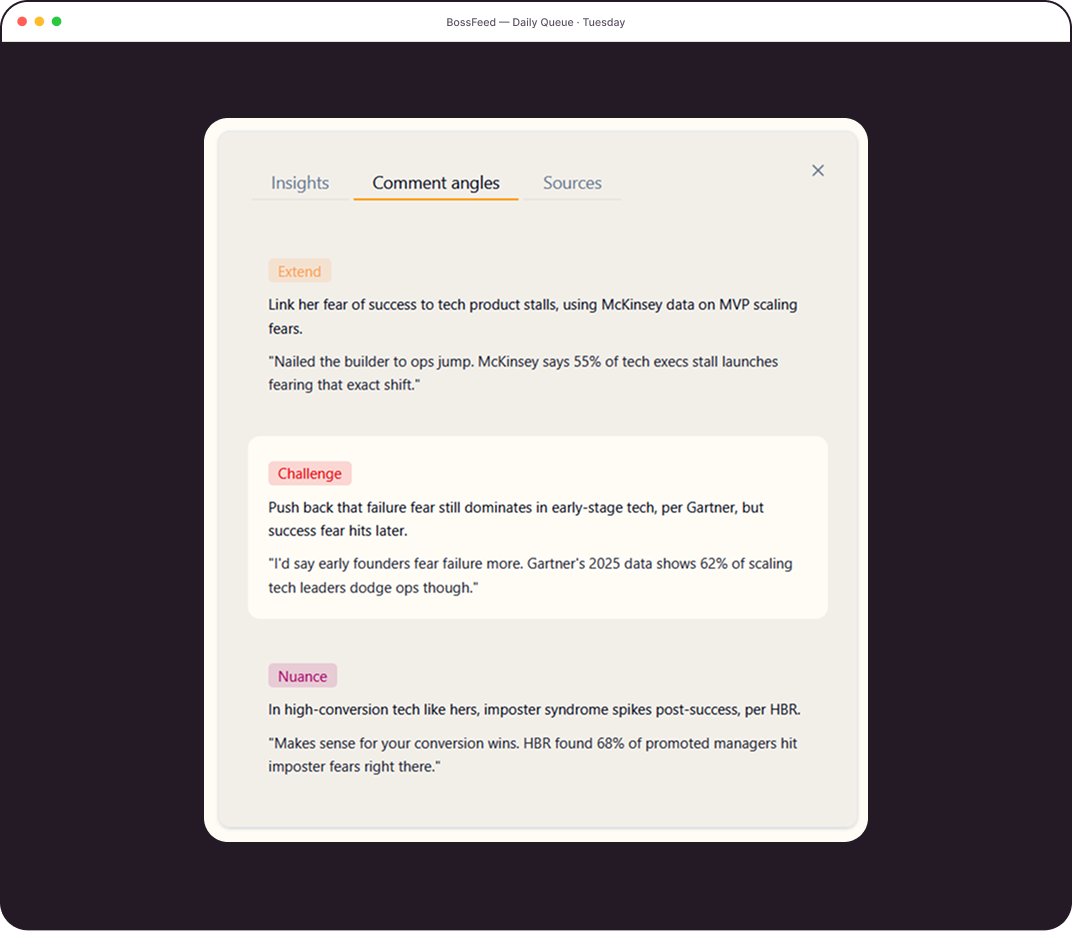
The worst LinkedIn comment you'll ever write is a generic one. "Great post!" doesn't build authority — it burns it. BossFeed's AI reads the post before you do: what the author is arguing, what context matters, what the conversation in the comments is actually about, and what a high-value, authoritative response would add. You get the insight. You write the comment. It sounds like you — because it is.
Not an AI comment generator. A post intelligence layer — built for professionals who want to engage with substance, not shortcuts.
- Post summary and key argument breakdown
- Author context: their angle, expertise, and recent themes
- Conversation thread summary — so you're never the person who missed the thread
- Comment angle suggestions: agree, challenge, add nuance, share experience
- Works across industries and post types (opinion, data, case study, announcement)
4
Multi-Profile Support
One login.
Every LinkedIn.
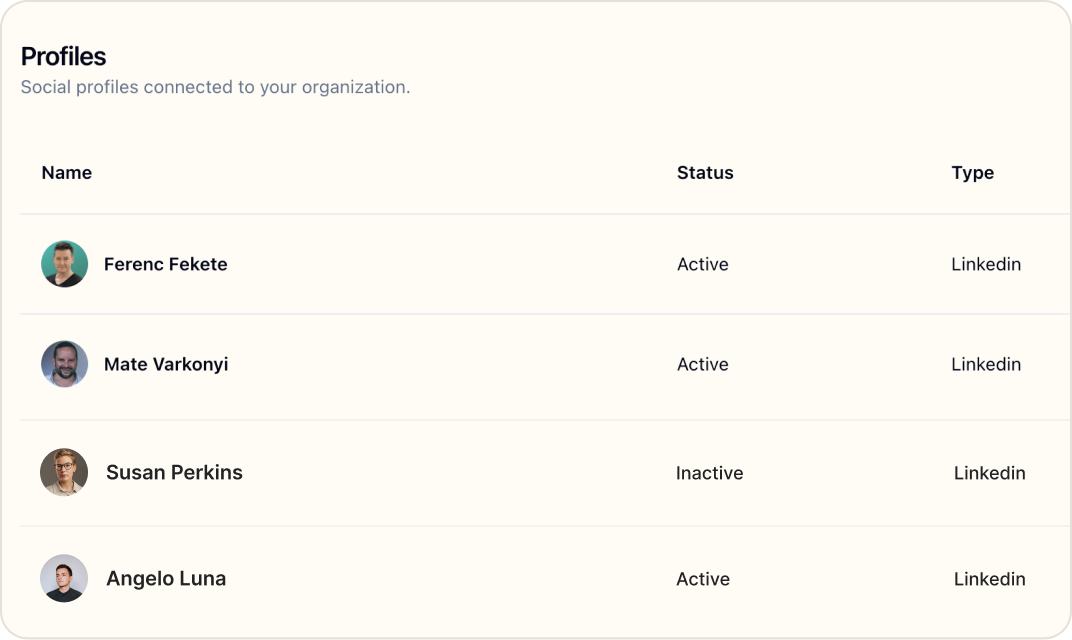
Your LinkedIn. Your co-founder's. Your client's. All three in one BossFeed dashboard, each with its own curated feed, its own daily queue, its own engagement history. Switch between profiles in a single click. Never log in and out again.
Built for the founder managing a business partner's profile during a launch. The agency running five client engagement programs simultaneously. The consultant with a personal profile and a company page to maintain
- Manage multiple LinkedIn profiles from one dashboard
- Separate feeds, queues, and settings per profile
- AI insights adapt to each profile's voice and context
- Engagement history tracked per profil
- Ideal for founders, agencies, and LinkedIn service providers
1%
of LinkedIn users post weekly — but they generate 9 billion impressions
Buffer LinkedIn Stats, 2026
47%
more inbound opportunities for professionals with active personal brands
LinkedIn 2025 Workplace Report
40%+
higher reply rates for sales reps who comment before sending an outreach message
Expandi State of LinkedIn Outreach, H1 2025
2.3x
more post views for authors who respond to comments in the first 30 minutes
AuthoredUp LinkedIn Algorithm Data, 2025
Who BossFeed is for
Built for LinkedIn professionals
with a specific job to do.
BossFeed isn't for everyone on LinkedIn. It's for the people who've already decided LinkedIn is worth doing — and need a system to do it without losing their mornings.
Segment 1
The Revenue Creator
You're a founder, consultant, or executive coach. LinkedIn has demonstrably moved the needle for you — a client said they found you there, or a post generated a round of inbound messages. Now you need a system to make it consistent, not a hobby
"I know LinkedIn works for my business. I just can't make the engagement habit stick without wasting my mornings."
Segment 2
The Social Seller
You're in B2B sales — SDR, AE, VP Sales. You've seen what happens when you comment on a prospect's post before reaching out. The reply rate triples. The conversation is warmer. You need the workflow to do it at scale across 50 - 150 named accounts.
"By the time you send a DM, you're not a stranger anymore."
Segment 3
The Intentional Builder
You're a freelancer, independent consultant, or early professional who's made a deliberate decision to treat LinkedIn seriously. You don't need to go viral — you need to show up consistently with the 30 right people before you need the network.
"I spend max 10 minutes on LinkedIn every day instead of scrolling endlessly."
Also great for
LinkedIn Agencies & Service Providers
If you run LinkedIn engagement as a managed service for clients, BossFeed's multi-profile dashboard lets you manage every client's feed and engagement queue from a single login. Deliver consistent, quality engagement at scale — without logging in and out of 5 accounts.
Talk to usHow BossFeed compares
Taplio helps you post.
BossFeed helps you engage.
They're different jobs. Most LinkedIn professionals need both — but they've
only been buying one tool. Here's where BossFeed fits.
| Feature | BossFeed | Taplio | Extrovert | MyFeedIn |
|---|---|---|---|---|
| Custom curated feed (your chosen profiles) | — | Partial | ||
| Like / Comment / Skip triage workflow | — | — | — | |
| AI-powered post insights (not just drafts) | Drafts only | Drafts only | — | |
| Multiple LinkedIn profile support | — | Team plan | — | |
| LinkedIn post scheduling & publishing | — | — | — | |
| CRM / pipeline integration | — | — | — | |
| Web app (no browser extension required) | Extension only |
Former Aware User?
Aware shut down in August 2025. BossFeed is the closest thing that exists.
Aware's core features — a curated feed of the people you track, a daily engagement workflow, and multi-profile support — were exactly what made it beloved by LinkedIn creators. BossFeed picks up where Aware left off, with AI-powered post insights that Aware never had. If you're looking for an Aware alternative, you're in the right place.
Aware alternative
FREQUENTLY ASKED
Questions
How is BossFeed different from Taplio?
Taplio is primarily a content creation and scheduling tool — it helps you write posts, schedule them, and track how they perform. BossFeed does something completely different: it helps you engage with other people's content through a curated feed and a daily triage workflow. Most LinkedIn professionals who generate revenue from the platform need both — but they're separate jobs. BossFeed fills the engagement gap that Taplio leaves entirely empty.
I used Aware before it shut down. Is BossFeed a replacement?
BossFeed is the closest functional replacement for Aware's core workflow. Like Aware, BossFeed gives you a curated feed of the LinkedIn profiles you track, a daily engagement workflow, and multi-profile support. BossFeed adds AI-powered post insights — a feature Aware didn't have — which helps you write authoritative, contextual comments rather than generic ones. If you used Aware for its engagement feed and triage workflow, BossFeed is built for you.
Does BossFeed automate my LinkedIn engagement?
No — and that's intentional. BossFeed is a workflow tool, not an automation tool. You're still the one choosing what to like, what to comment on, and what to write. What BossFeed does is remove the friction: you get a focused queue instead of a chaotic feed, AI-powered context instead of a blank screen, and a triage interface instead of slow scrolling. Your engagement stays human. The workflow just becomes effortless.
Is BossFeed against LinkedIn's Terms of Service?
No. BossFeed does not automate likes, comments, or connections on your behalf. It does not scrape LinkedIn data in violation of platform rules. It is a workflow interface — all engagement actions are performed by you, manually. This is the same compliance model as tools like Notion, Loom, or any other productivity app you'd use alongside LinkedIn. BossFeed is built to be a durable, safe tool for professionals — not a shortcut that gets your account flagged.
How does the AI post insights feature work?
When you select a post in your queue to comment on, BossFeed surfaces contextual intelligence about it: what the post is arguing, who the author is and what themes they've been writing about, what the conversation in the comments looks like, and what angles a high-value, authoritative comment could take. It's a post intelligence layer — not an AI comment generator. You use the insights to write your own comment, in your own voice, with more context than you'd normally have. The result: comments that sound like you at your best, not an AI at its worst.
Can I manage multiple LinkedIn accounts with one BossFeed subscription?
Yes — multi-profile support is available on the Pro plan and above. Each profile gets its own curated feed, daily queue, AI insights, and engagement history. You switch between profiles with a single click. The Pro plan supports up to 3 profiles; the Agency plan supports up to 10. This is designed for founders managing their own and a co-founder's engagement, consultants with a personal profile and a client's, or agencies running LinkedIn engagement as a managed service.
Do I need a LinkedIn Premium account to use BossFeed?
No. BossFeed works with any LinkedIn account, free or premium. LinkedIn Premium and Sales Navigator add additional data and features within LinkedIn itself, but they are not required to use BossFeed's curated feed, triage workflow, or AI post insights.
How long does the daily workflow actually take?
Most users work through a queue of 20 - 30 posts in 10 - 15 minutes per day. The like/skip decisions take a few seconds each. The comment decisions take longer — typically 2 - 5 minutes including the AI insight review and writing the actual comment. A reasonable daily goal is 2 - 5 substantive comments per session, which is enough to maintain a consistent, visible presence with your core network.
Your LinkedIn
engagement habit starts
tomorrow morning.
Build your first curated feed, work through your first queue, and write your first authoritative comment — all in under 15 minutes. No credit card required.
- 7-day free trial
- ·
- No credit card
- ·
- Cancel anytime